
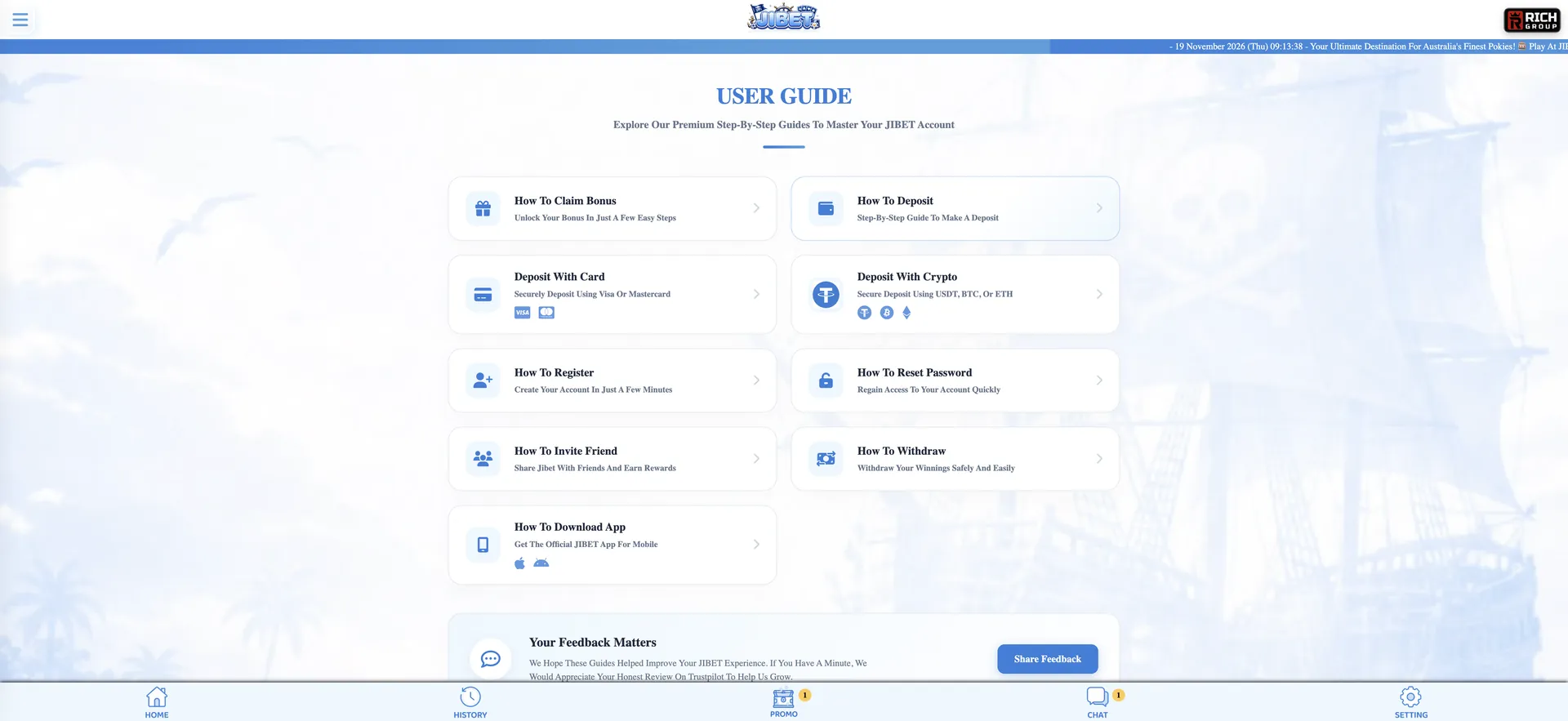
Jibet88 login is done through the blue LOGIN button in the right-hand panel of the site on desktop, next to REGISTER, or from the top of the screen on mobile. Accounts are tied to an Australian mobile number, so signing in uses that number and the account password; on the installed web app, the site also mentions fingerprint login. If the password does not work, the How To Reset Password guide in the User Guide hub explains how to set a new one, and 24/7 live chat - the Chat button in the bottom bar - can restore access if the reset fails.
Once logged in, the right panel shows the AUD balance with Deposit, Withdraw and Refresh buttons, and the Promo, History and Profile sections unlock. Below are the steps to sign in, recover a password, log in on mobile and fix the most common problems.
| Login essentials | Details |
|---|---|
| Where to log in | LOGIN button in the right panel (desktop) or top of screen (mobile) |
| Login details | Australian mobile number and password |
| App login | Installed web app; fingerprint login mentioned by the site |
| Password reset | How To Reset Password guide; live chat if needed |
| Device support | Desktop and mobile browsers, iOS and Android web app |
| Session security | 256-bit encryption stated by the site |
| When checks appear | Typically on a first or large withdrawal |
| Currency | AUD |
| Support | 24/7 live chat, [email protected] |
How to log in to Jibet88
The sign-in form opens from the LOGIN button on any page, so there is no separate login URL to remember. Player accounts appear in the site's feeds as masked numbers starting with 61, which reflects that the login identifier is the mobile number used at registration.
Step-by-step Jibet88 login
Signing in takes a few seconds and follows the same sequence on a computer and in a mobile browser.
- Open jibet88.co in a current browser.
- Click the blue LOGIN button.
- Enter the Australian mobile number used to register.
- Type the password - it is case-sensitive.
- Confirm the login.
- Check that the balance appears in the right panel; tap Refresh if it does not update.
Create an account if you do not have one
Players without an account use the orange REGISTER button next to LOGIN. The site states that sign-up takes under two minutes, and a dedicated How To Register guide is available in the User Guide hub.
Quick registration flow
Registration needs only a mobile number and password, and the first deposit can be made straight after.
- Click REGISTER.
- Enter an Australian mobile number and create a password.
- Complete any phone verification code.
- Deposit from AUD 10 and claim the 100% welcome bonus in Promo if wanted.
Secure login practices
Because the account is tied to a phone number, keeping the phone and password secure is the main protection. A few habits reduce the risk of someone else accessing the balance.
- Use a unique password not used for email or other sites.
- Do not share login details or let anyone else play on your account.
- Log out on shared computers and do not save the password in a shared browser.
- Use the installed web app with fingerprint login on a personal phone.
- Withdraw only to a PayID or bank account in your own name.
- Ignore messages asking for your password; live chat does not need it to help.
Jibet88 password reset
A forgotten password is reset through the How To Reset Password process described in the User Guide hub. As the account is linked to a mobile number, access to that number is needed to confirm the change. If the number has changed or no code arrives, live chat can verify the account and assist.
Reset steps
The reset is started from the login form or the User Guide hub.
- Open the menu and go to User Guide → How To Reset Password, or use the reset link in the login form.
- Enter the mobile number registered on the account.
- Confirm the verification code sent to the phone.
- Create and confirm a new password.
- Log in with the new password.
- If no code arrives, contact live chat from the Chat button.
Jibet88 login on mobile
On a phone, the login works in Safari, Chrome or another mobile browser, and in the installed JIBET web app. The app opens full screen from the home screen and, according to the site, supports fingerprint login, which removes the need to type the password each time. The App Daily Free credit (AUD 5) and App Daily FreeSpin are available only when logged in through the app.
Tips for mobile login
Mobile login problems usually come from autofill or browser settings.
- Check that autofill has not added a space or an old number format (for example with or without the leading 0).
- Allow cookies for the site so the session is kept.
- Keep the browser updated so the login form loads correctly.
- Reinstall the web app from the homepage prompt if it stops opening.
Troubleshooting common Jibet88 login errors
When sign-in fails, the cause is usually one of four things. The fixes below run from quickest to most involved.
Wrong number or password
An error after submitting the form usually means the number format or password does not match the account.
- Retype the password manually and check Caps Lock.
- Try the mobile number in the format used at registration.
- Reset the password through the User Guide if needed.
Browser or cache issues
If the LOGIN button does nothing or the page reloads without signing in, stored browser data or an extension is often responsible.
- Clear cache and cookies and reload the page.
- Disable ad blockers or script blockers for jibet88.co.
- Try another browser such as Chrome or Safari.
Balance not showing after login
If login succeeds but the balance shows AUD 0.00 or an old figure, tap the REFRESH button in the right panel. A deposit that has not arrived is checked under History, and live chat can trace it with the transaction time and amount.
Account restricted
An account can be limited if the casino is checking a withdrawal, finds duplicate accounts or suspects bonus abuse. The site does not publish its full account rules, so live chat is the place to confirm the reason and the steps to restore access.
What you access after Jibet88 login
Signing in unlocks the account areas and personal offers. These are the sections used most often.
- Deposit and Withdraw: AUD cashier with PayID, Osko, cards, BTC and USDT.
- Promo: welcome bonus, free credit, free spins and rebates with amounts revealed.
- History: deposits, withdrawals and bets.
- Referral: your personal link and Downline list.
- VIP Program: current tier and rebate rates.
- Lucky Spin and Daily Check-In: daily rewards for active accounts.
- Profile and Setting: account details and preferences.
Account checks after login
Logging in and depositing do not require documents. Checks are more likely on a first or large withdrawal, when the casino may ask for photo ID or proof that the receiving bank account or PayID belongs to the account holder. The site does not publish a fixed document list, so live chat can confirm what is needed. Keeping the registered name, mobile number and bank account consistent avoids most delays.
Jibet88 login FAQ
Quick answers to common sign-in questions from Australian players.
Where is the Jibet88 login button?
In the right-hand panel on desktop, above the balance, next to REGISTER. On mobile it is at the top of the screen.
What details do I use to log in to Jibet?
The Australian mobile number used at registration and the account password.
What if I forgot my Jibet88 password?
Follow the How To Reset Password guide in the User Guide hub. If the code does not arrive, contact 24/7 live chat.
Can I log in with my fingerprint?
The site lists fingerprint login as a feature of the mobile web app on supported phones.
Why is my balance not updating after login?
Tap REFRESH in the right panel. If a deposit is missing, check History and contact live chat with the transaction details.
Is the Jibet88 login the same on mobile and desktop?
Yes. The same number and password work in any browser and in the installed web app.